
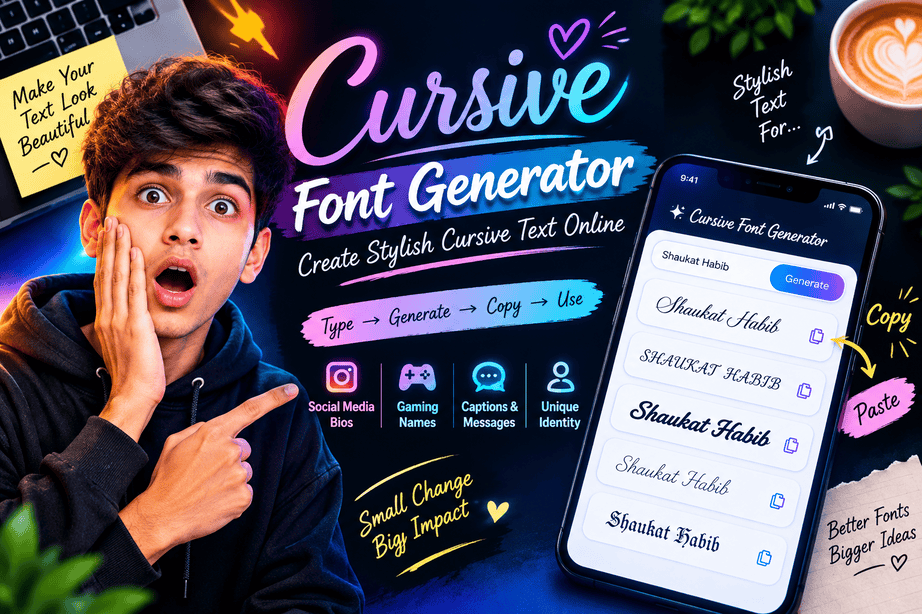
Have you ever typed a simple name or sentence and wished it looked more elegant, creative, or handwritten? A cursive font generator can turn ordinary text into beautiful script-style characters that you can copy and use across social media, profiles, captions, messages, usernames, and other digital spaces.

Cursive text has a distinctive personality. It can make a username feel more elegant, a social media bio look more creative, or a short message feel more personal. The best part is that you do not necessarily need Photoshop, a design application, or advanced typography skills.
Modern online generators make the process almost instant: enter your text, choose a style, copy the result, and paste it where you want.
But there is something important to understand before using one. Not every “cursive font” generator actually changes the font of your text. Many online tools create Unicode characters that resemble different typographic styles. That difference explains why some generated text works almost everywhere while traditional font files do not.
What Is a Cursive Font Generator?
A cursive font generator is an online tool that converts normal text into a decorative style that resembles handwriting, calligraphy, script, or connected lettering.
For example, ordinary text such as:
Shaukat Habib
can be transformed into a script-inspired variation such as:
𝓢𝓱𝓪𝓾𝓴𝓪𝓽 𝓗𝓪𝓫𝓲𝓫
The generated result can then be copied and pasted into supported platforms.
This is different from installing a conventional font on a computer. A traditional font changes how characters are rendered by software. A Unicode-style generator, on the other hand, replaces ordinary characters with alternative Unicode characters where suitable equivalents exist.
The Unicode Standard includes mathematical alphanumeric characters with styles such as script, bold script, italic, and Fraktur. These characters are part of the reason many online “font generators” can create copy-and-paste text.
Why Are Cursive Fonts So Popular?
Cursive typography has been associated with handwriting, invitations, signatures, personal notes, and decorative design for generations.
On the internet, that same visual quality has become useful for a completely different purpose: personal expression.
A normal username may look ordinary, while a script-style version can immediately stand out.
People commonly use cursive text for:
- Instagram bios
- TikTok profiles
- Facebook posts
- WhatsApp messages
- YouTube descriptions
- Pinterest content
- Discord profiles
- Gaming usernames
- Digital invitations
- Quotes and captions
- Personal branding
- Creative project names
The attraction is simple: you can create a different visual identity without having to become a graphic designer.
Cursive Font vs. Cursive Text: What Is the Difference?
This is one of the most important things to understand.
The word font is often used casually to describe decorative text generators, but technically a font and generated Unicode text are not always the same thing.
Unicode Cursive Text
A Unicode generator works differently.
Instead of changing the font file, it may replace standard characters with Unicode characters that visually resemble script or calligraphic lettering.
For example:
Hello World
may become:
𝓗𝓮𝓵𝓵𝓸 𝓦𝓸𝓻𝓵𝓭
You can copy the second version as text.
That is why these tools are particularly useful for social media. You are not uploading a font file to Instagram or another platform. You are pasting characters.
How Does a Cursive Font Generator Work?
The process is surprisingly straightforward.
1. You Enter Normal Text
Start by typing a name, phrase, quote, username, or caption into the generator.
For example:
Dream Big
2. The Tool Processes Each Character
The generator checks the characters you entered and maps them to available styled Unicode characters or applies a visual font style, depending on how the tool was built.
Unicode contains mathematical alphanumeric styles including script and bold script characters.
3. Different Styles Are Produced
A good generator may provide several variations instead of just one cursive result.
You might see styles such as:
- Elegant script
- Calligraphy
- Bold cursive
- Handwriting
- Italic script
- Romantic cursive
- Decorative script
- Fancy text
- Soft aesthetic text
4. You Copy Your Favorite Version
Once you find a style you like, simply copy it.
5. Paste It Where You Need It
You can then try it in a social profile, caption, message, username, or other supported text field.
Cursive Font Generator vs. Regular Font Software
Both approaches can create beautiful typography, but they serve different purposes.
| Feature | Cursive Font Generator | Traditional Font |
|---|---|---|
| Installation required | Usually no | Often yes |
| Copy and paste text | Often possible | Not by itself |
| Useful for social media | Yes | Limited |
| Works in graphic design | Limited | Excellent |
| Changes actual typeface | Usually no | Yes |
| Requires font file | Usually no | Usually |
| Easy for beginners | Very easy | Requires more setup |
| Best for websites | Depends on implementation | Yes |
This distinction matters because someone designing a wedding invitation in Photoshop needs a real font, while someone decorating an Instagram bio may simply want copy-and-paste text.
How to Choose the Best Cursive Style ?
Not every cursive style works equally well in every situation.
A highly decorative style may look beautiful in a short name but become difficult to read in a long sentence.
For Instagram Bios
Choose something elegant and relatively simple.
Your bio should remain readable on a small phone screen. A complicated script may look attractive initially but become frustrating for visitors.
For Gaming Names
A stronger or heavier cursive variation can work better.
However, check whether your game actually supports the characters. Some games restrict usernames to specific character sets.
For Romantic Messages
Elegant script and calligraphy styles are usually a natural fit.
Short phrases tend to work especially well because decorative lettering has more visual impact when there are fewer characters.
For Quotes
Keep readability at the top of your list.
A quote containing several sentences should generally remain in conventional typography. Decorative text is better used for a heading, short phrase, or highlighted portion.
Why Some Cursive Text Does Not Work Everywhere ?
One common misconception is that generated text will automatically work on every website.
Unfortunately, that is not guaranteed.
Different platforms have different rules regarding usernames, profile names, comments, messages, and supported characters.
A character may display correctly on one device but appear differently on another. Some characters may also appear as empty boxes if a particular font does not contain the required glyph.
This is a normal limitation of digital typography.
MDN notes that browsers select fonts based on available font families and can fall back to other fonts when a character is unavailable.
Is Cursive Unicode Text Really a Font?
Technically, not always.
This is where online terminology can become confusing.
A website may call its tool a cursive font generator because users commonly search for that phrase. However, the resulting content may actually consist of Unicode characters rather than a newly installed font.
Unicode itself explains that its mathematical alphanumeric symbols include distinct styles such as script and bold script.
This means the generated result can behave more like ordinary text than an image.
That is also why you can often copy it directly from a generator and paste it into another text field.
Cursive Font Generator for Social Media
Social media is probably one of the biggest use cases for decorative text.
A profile has very little space to communicate personality. Typography can therefore become part of someone’s digital identity.
For example:
Normal:
Shaukat | Blogger | Designer
Cursive style:
𝓢𝓱𝓪𝓾𝓴𝓪𝓽 | 𝓑𝓵𝓸𝓰𝓰𝓮𝓻 | 𝓓𝓮𝓼𝓲𝓰𝓷𝓮𝓻
The second version immediately has a different visual character.
However, moderation is important. Using decorative characters for every word can make a profile harder to scan.
A good rule is:
Use stylish text to emphasize your identity, not to hide your message.
Cursive Font Generator for Personal Branding
Typography can also support personal branding.
Creators, freelancers, bloggers, gamers, and small businesses can use consistent typography across their social profiles.
For example, you could use a cursive variation for:
- Your display name
- A short tagline
- A signature phrase
- Social media captions
- Creative project names
But avoid making your entire brand dependent on Unicode characters.
Your website logo, graphics, and professional documents should normally use properly selected fonts and typography rather than relying exclusively on generated Unicode text.
What Makes a Good Cursive Font Generator?
If you are comparing different generators, look beyond the number of styles.
A useful tool should provide:
| Feature | Why It Matters |
|---|---|
| Multiple cursive styles | Gives users creative choice |
| One-click copy | Saves time |
| Mobile-friendly design | Most users browse on phones |
| Clear preview | Helps users compare styles |
| Fast conversion | Improves user experience |
| No complicated installation | Makes the tool accessible |
| Readable output | Prevents confusing results |
| Unicode support | Helps with copy-and-paste use |
| Simple interface | Reduces friction |
The best generator is not necessarily the one with hundreds of effects. It is the one that gives you useful, readable, compatible results quickly.
Final Thoughts
A cursive font generator is a simple but powerful tool for people who want to add personality to ordinary text. Whether you’re creating an Instagram bio, designing a username, writing a short quote, or experimenting with personal branding, cursive text can make your content visually distinctive.
The key is understanding what you are actually generating. Some tools work with real web or design fonts, while many copy-and-paste generators rely on Unicode characters that resemble script and calligraphy.
For everyday social media use, that distinction may not matter much. What matters most is readability, compatibility, and choosing a style that matches your purpose.
If you want stylish text that still communicates clearly, less is often more. Choose a beautiful cursive style, use it selectively, and let the words remain the most important part of your message.
Ready to Create Stylish Cursive Text?
Try a cursive font generator to transform your name, bio, caption, or favorite quote into an elegant copy-and-paste style.
Explore more stylish text tools and create your own unique typography today.